We've all been there, your awesome field workers upload thousands of 50 megapixel image attachments only
for them to be stuck in ArcGIS consuming credits or bloating your ArcGIS
Enterprise relational datastore.
You don't want to lose the full quality image or documents but you also don't want the full size
attachment sitting in your
ArcGIS system forever!
Qonda Vault is a solution to that problem!
There are many scripts and tools out there (even in ArcGIS Pro) that can export attachments but we don't
believe that is enough. It only solves part of the problem...
Scripts and tools leave you with a pile of attachments on your computer with no easy way to
share those files with others.
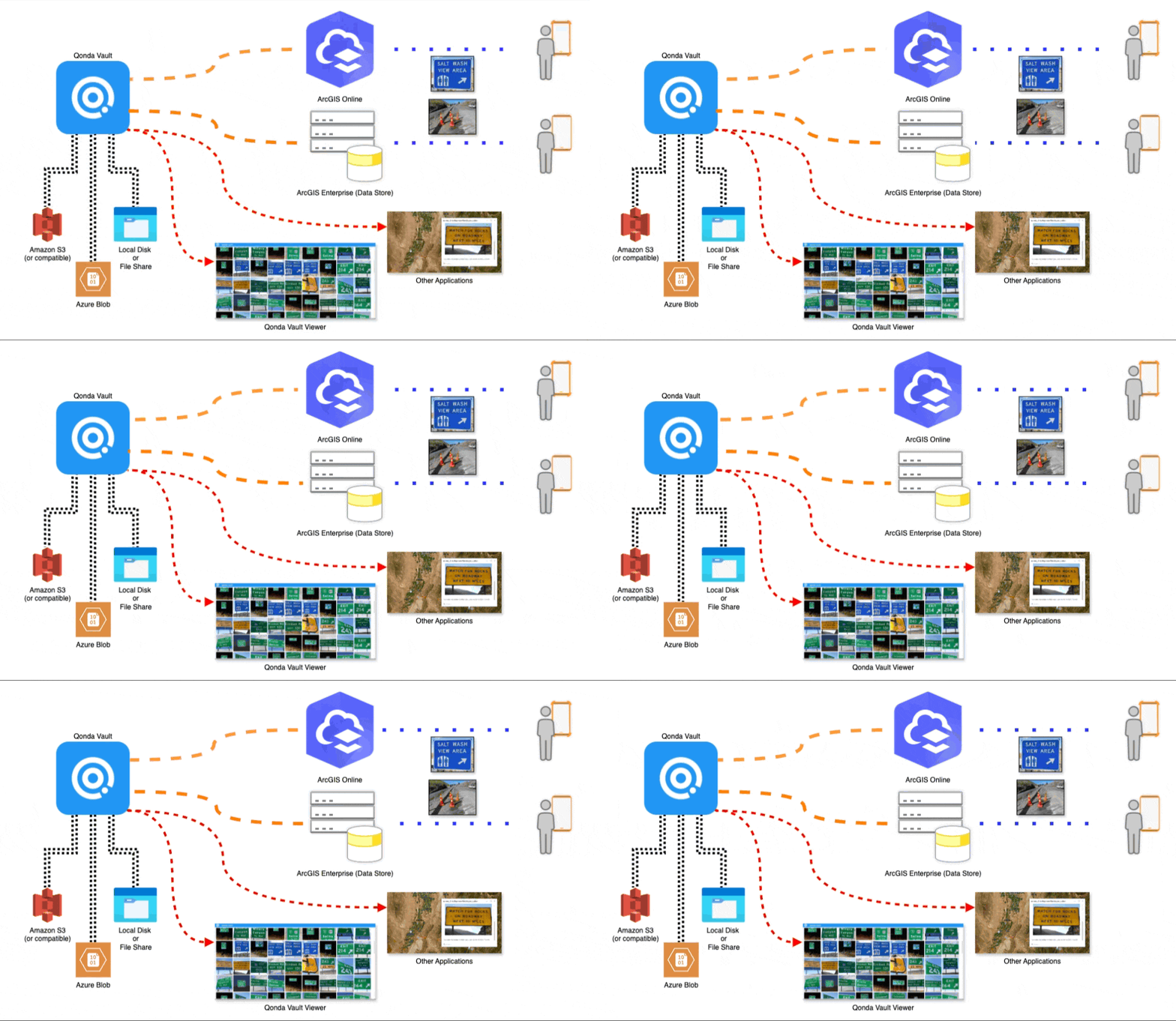
Qonda Vault reduces storage in ArcGIS by exporting attachments and replacing the original with a much
smaller thumbnail. It also provides a secure and scalable way to access the original size attachments -
even outside of
ArcGIS!
Store your attachments in Amazon S3, Azure Blob, Microsoft Sharepoint, Google Cloud Storage, network file share or a mix of any supportted storage.
Elevator Pitch
Free your photos and documents from ArcGIS Online and ArcGIS Enterprise.
Store them where you want - Azure, Amazon, Google or SharePoint.
Share photos and documents across your organization, not just in GIS.
Cut backup size, cost, and time in ArcGIS Enterprise
Save credits in ArcGIS Online.
Easily integrate photos and documents into any web application.
Keep photos and documents fully accessible inside ArcGIS.
Take control and achieve true data sovereignty!
Features
Server
The server runs in the background and will automatically offload your attachments while you are sleeping.
Qonda Vault Server - Works while you sleep!
Gallery Viewer
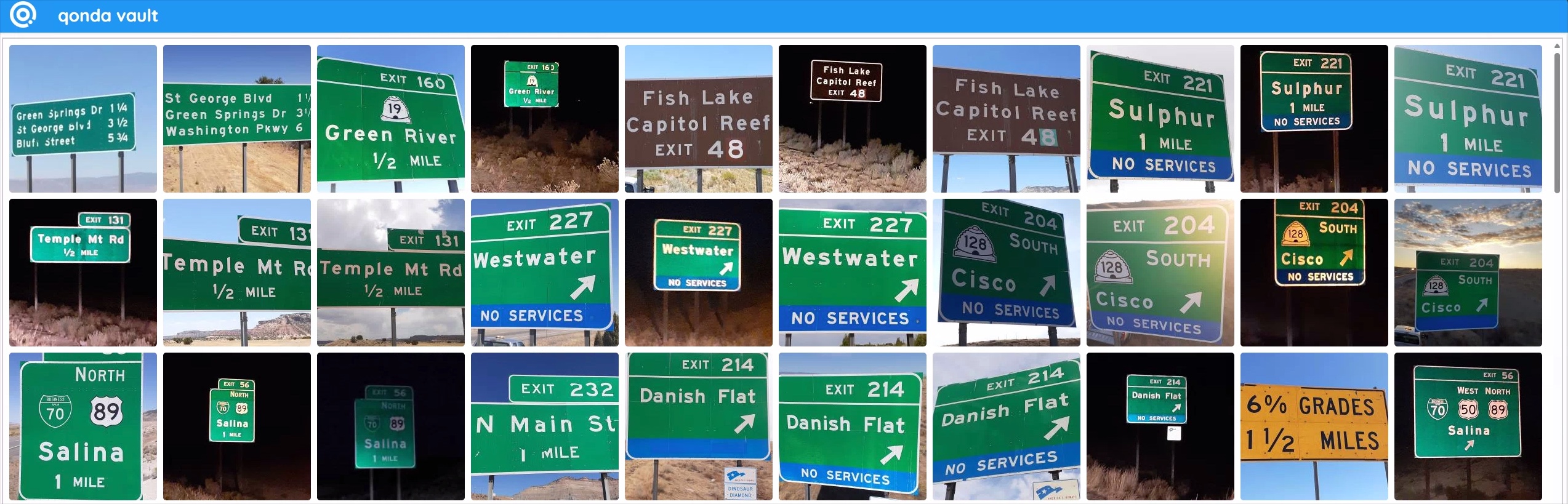
The gallery viewer allows you to view all attachments from a feature service quickly and efficiently
outside of ArcGIS. The viewer features endless scrolling with lazy loading so you can keep scrolling
until you find the attachment you were looking for.
The viewer includes a built in map and viewers for images, PDF and videos.
Qonda Vault Gallery Viewer
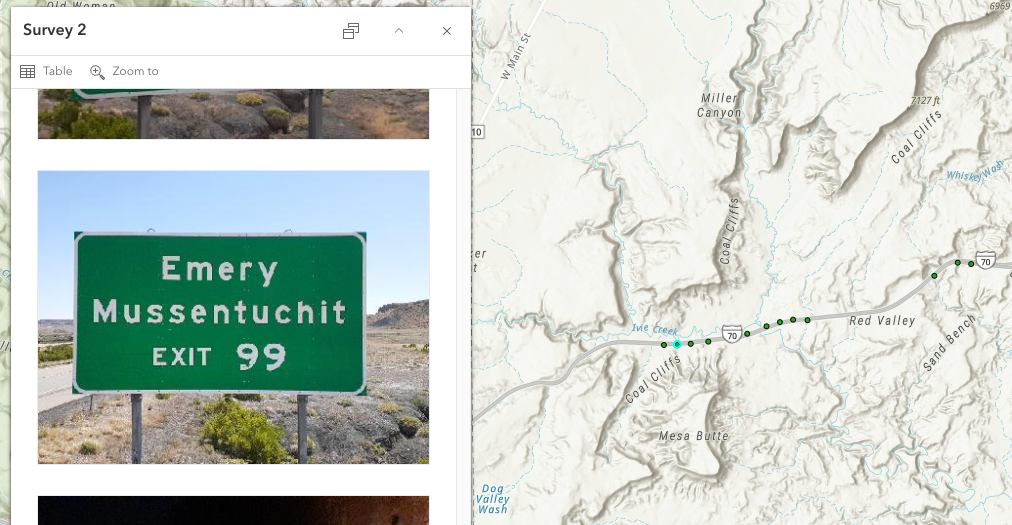
Feature Viewer
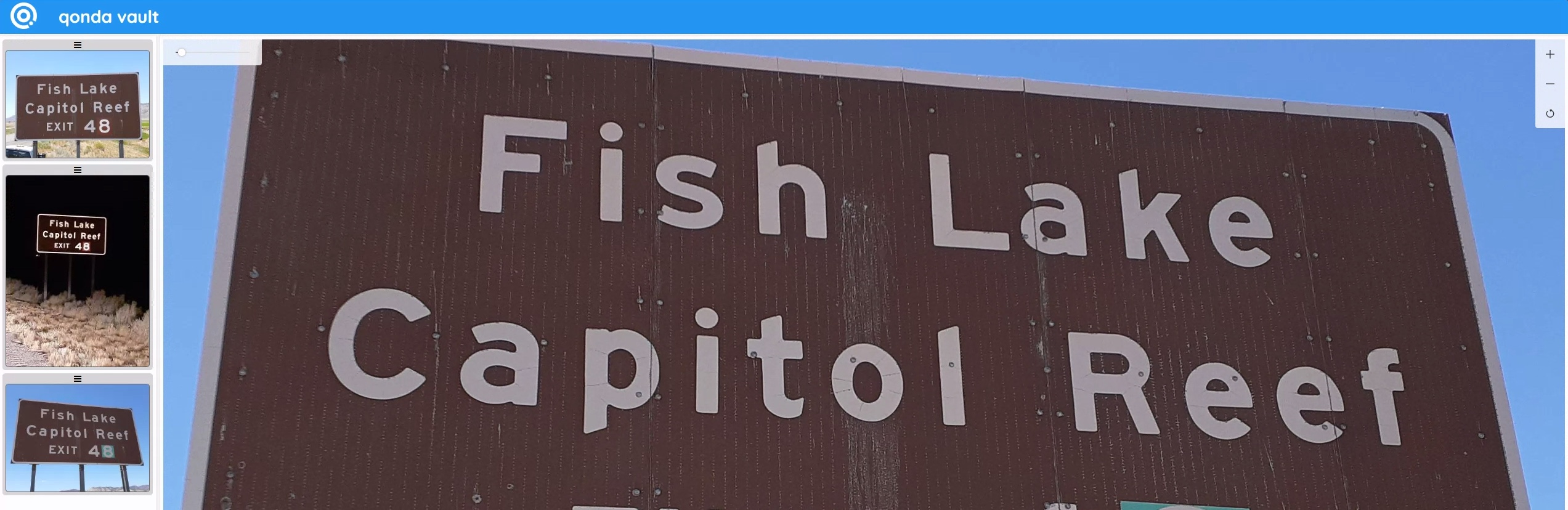
The feature viewer shows all attachments related to a specific data capture feature from a feature
service outside of
ArcGIS.
The feature viewer can be controlled by query string parameters meaning you can hyperlink from ArcGIS Pro
or from a popup in most ArcGIS web applications.
Qonda Vault Feature Viewer
Admin Interface
The admin interface is a web application that allows you to create and manage connections to your ArcGIS
Enterprise and ArcGIS Online systems. Once a connection is configured you can point Qonda Vault at your
feature services and it will automatically process your attachments.
Qonda Vault Admin Interface
Offload Modes
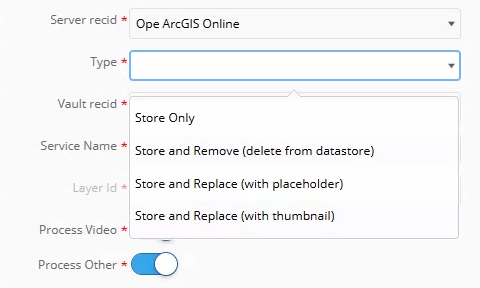
When offloading your attachments you can choose between four different offload modes.
Backup Mode - this mode will offload your attachments but leave the source feature service layer
unchanged.
Shrink Mode - this mode will offload your attachments and shrink the image attachments in the source
feature service layer.
Placeholder Mode - this mode will offload your attachments and create a placeholder attachment in
the source feature service layer. A placeholder allows you to shrink your attachments even more
while still showing the users that there are attachments available.
Delete Mode - this mode will offload your attachments and delete the attachments from the source
feature service layer.
Qonda Vault Offload Modes
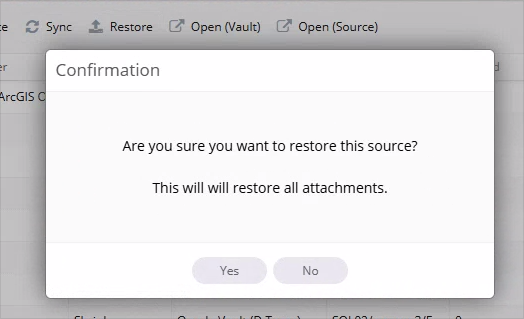
Restore
If you used Shrink or Placeholder to offload your attachments you can restore the original attachments
using Restore.
This can be useful if you need to temporarily reduce the size of your Data Store - for example prior to
an upgrade.
Qonda Vault Restore
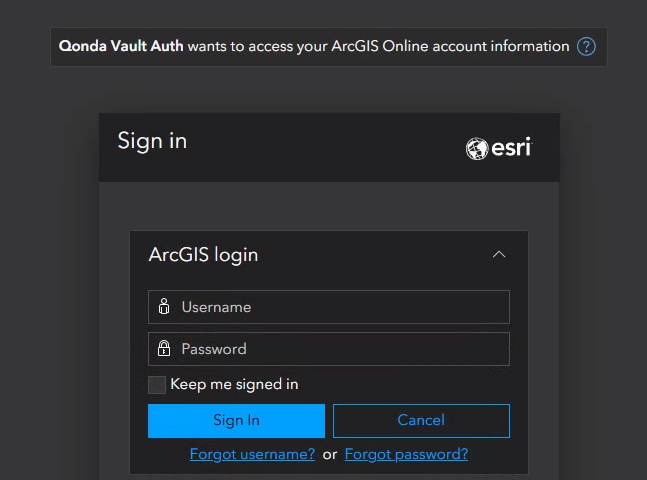
Security - Authentication and Authorization
Qonda Vault can optionally use OAuth from your ArcGIS Enterprise or ArcGIS Online.
When enabled this means only users from your ArcGIS Enterprise or ArcGIS Online can access the
attachments and only if they have access to the original source feature service layer.
No extra users or permissions to manage.
Qonda Vault Authentication and Authorization
FAQ
What is Qonda Vault?
Qonda Vault is an application that allows you to offload your attachments from ArcGIS Online and ArcGIS
Enterprise.
Offload?
Offloading means that your attachments will be backed up or moved by Qonda Vault to alternate storage
that your organization
controls.
This can be server attached storage, a file share, network storage, Amazon S3, Azure Blob storage or Microsoft Sharepoint.
Why Offload?
There are many reasons why you might want to offload your attachments.
Offloading is a way to keep your attachments under your organizations control.
Cost savings. Offloading reduces your ArcGIS Online credit usage by minimizing storage and thus
saving you money.
More manageable DataStore/WebGISDR backups. Offloading reduces the size of your on premise ArcGIS
Datastore.
Have you tried backing up a 1TB datastore that is 90% attachments? It's not fun and can take a long
time.
Enable access to attachments from other non-Esri applications
Doesn't ArcGIS Pro already do that?
Not quite, ArcGIS Pro includes the "Export Attachments" tool that will download attachments. Qonda Vault
on the other hand will do that but also manage where the attachments are stored and allow access
to the attachments for other users.
I have a script that already does that!
Thats good news as it probably means you are already familiar with the problem Qonda Vault is trying to
solve. Scripts, as with the ArcGIS Pro "Export Attachments" tool, work great. The Qonda Vault difference
is rescuing those awesome attachments in a way that they can still be accessed - not just
by the GIS team.
Will I lose my attachments?
No, your attachments will be downloaded to a location of your choosing.
Will my ArcGIS web apps lose access to my attachments?
No, if you use Shrink Mode then your users will still see a downsized version in your ArcGIS
Applications. In addition to that Qonda Vault includes a powerful viewer that can be opened via
hyperlink
so that you can still access the full size image attachments
Can I restore my attachments?
Yes, you can restore the original attachments at any time.
Where does Qonda Vault store my attachments?
Qonda Vault can store your attachments in any of the following;
Google Cloud Storage (using Interoperability API) NOTE: This isnt Google Drive.
Plus you can mix and match storage as well as scale when required.
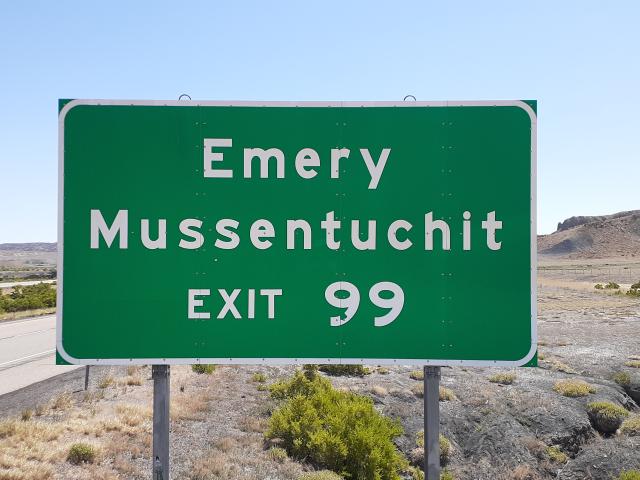
Will shrunk images look terrible?
No, they wont, in fact most users won't be able to tell the difference. See some examples below - plus
you can configure the output size when downsizing images to suit your needs!
Additionally don't forget that you can still access the full size attachment via the Qonda Vault viewer.
We are the sole owners of the information collected on this site. We only have access to and collect
information that you voluntarily give us via email or other direct contact from you. We will not sell or
rent this information to anyone. We will only use your information to respond to you regarding the reason
you contacted us. We will not share your information with any third party.
GDPR
We are GDPR-compliant. We do NOT resell or in any other way pass on your information to anyone. You can at any time request insight into what data we keep pertaining to your identity, or request your stored data be deleted (Right to be Forgotten) by contacting us.
Trademarks
Other companies and products mentioned are trademarks or registered trademarks of their respective owners.